Explore@UNC Registration Instructions

1. To register, please visit the registration portal and complete the steps below.
2. On the Explore@UNC Application Page:
- Enter the Student’s Name and Birthdate.
- Select the program(s) you wish to register for. The list of available weeks for your program will populate below.
- Check the box(es) for the session(s) you wish to attend. The list of tracks offered those weeks will populate below.
- Check the boxes for two tracks you wish to participate in each session. (You must select two).
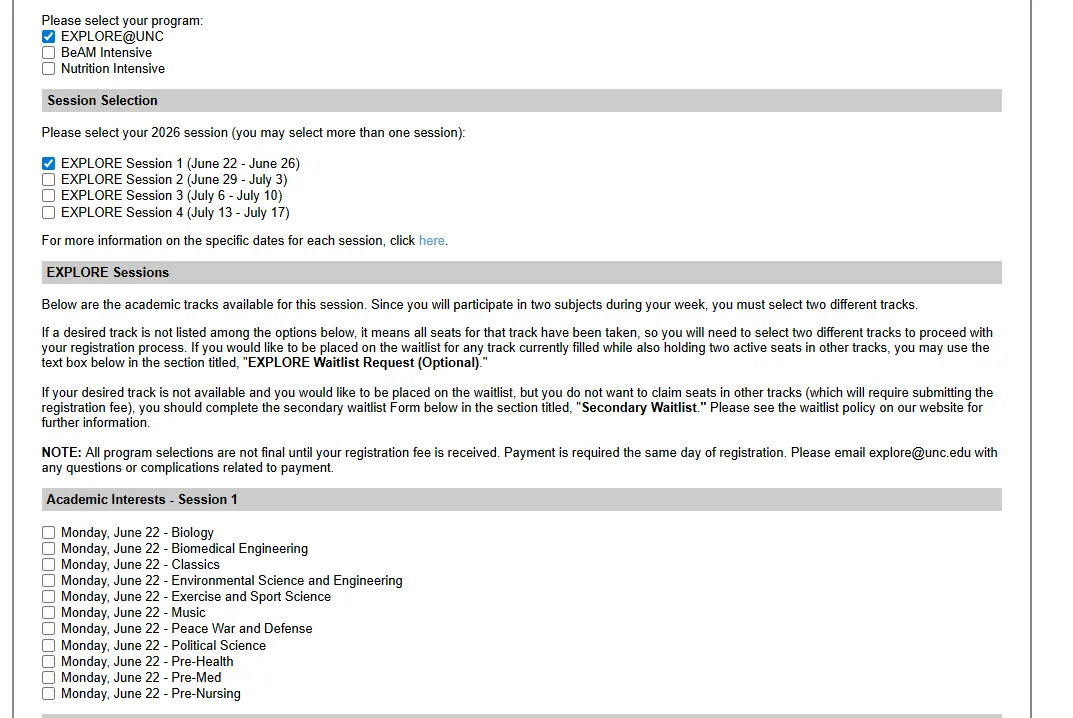
3. If any tracks are full at the time of your registration, the track WILL NOT appear in the drop down list of options.
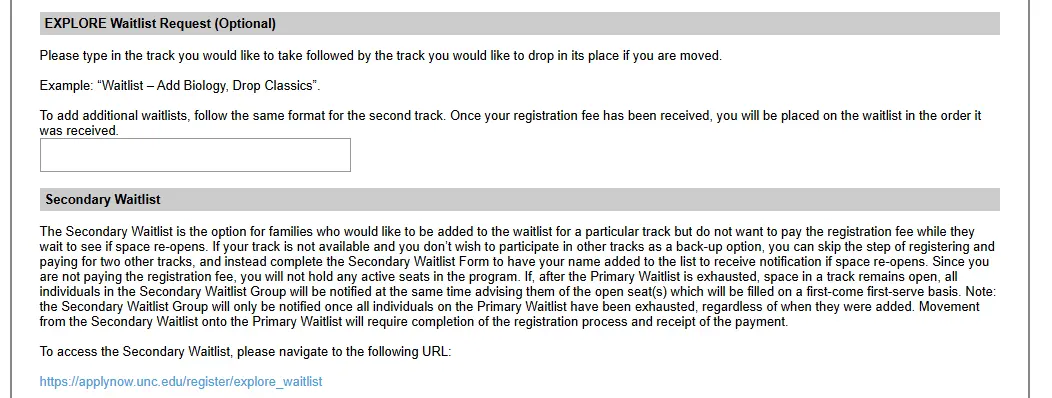
- If you would like to still register for two other tracks and place your name on a waitlist for any track, check the boxes for the two tracks you would like and in the text box, type the name of the track you would like to add followed by the track you would drop in its place. Example: If you want to be on the waitlist for Biology while you hold seats in Biomedical Engineering and Classics, you would type “Waitlist – Add Biology, Drop Classics”. Do this for as many waitlists as you would like.
- NOTE: Holding a spot on the Primary Waitlist requires completing the registration process and submitting your payment, including the $75 non-refundable fee.
- If you DO NOT wish to pay the registration fee, but still would like to be placed on the waitlist for a track if space re-opens, click the link for the Secondary Waitlist Form and complete the fields. You do not need to complete the remainder of the registration process once you have filled out the Secondary Waitlist form.
- NOTE: Since you are not submitting a registration fee to be on the Secondary Waitlist, you will NOT hold any active seats in any tracks.
- Once all individuals on the Primary Waitlist (see above) have been exhausted, everybody on the Secondary Waitlist will receive an email informing them of the available seats which will be filled on a first-come first-serve basis.
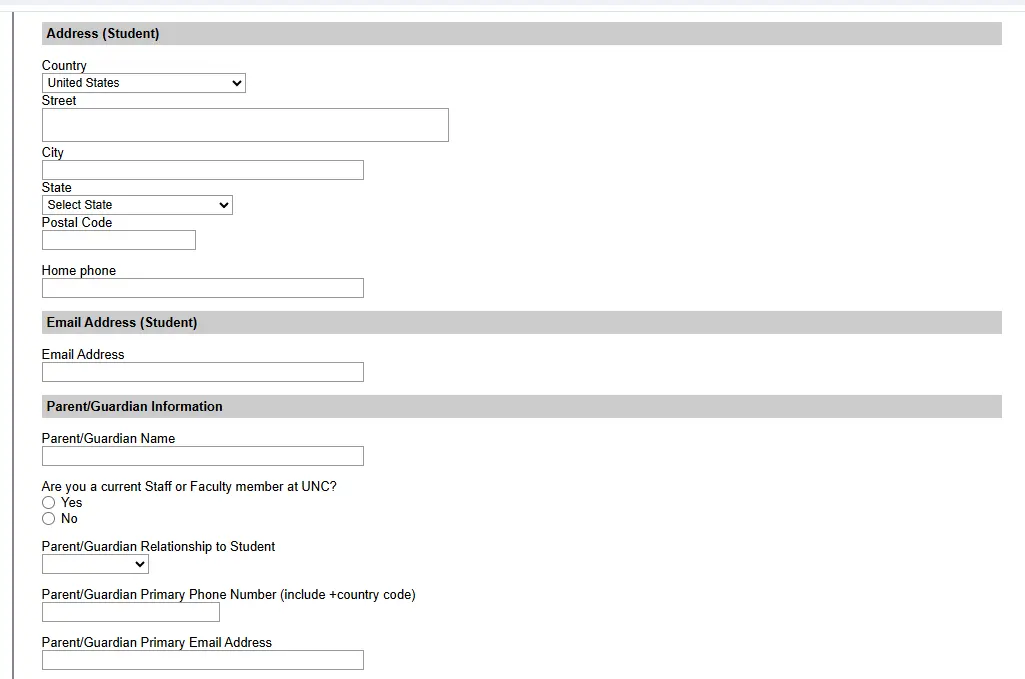
4. After all weeks and tracks have been selected, complete the Student and Parent/Guardian sections.
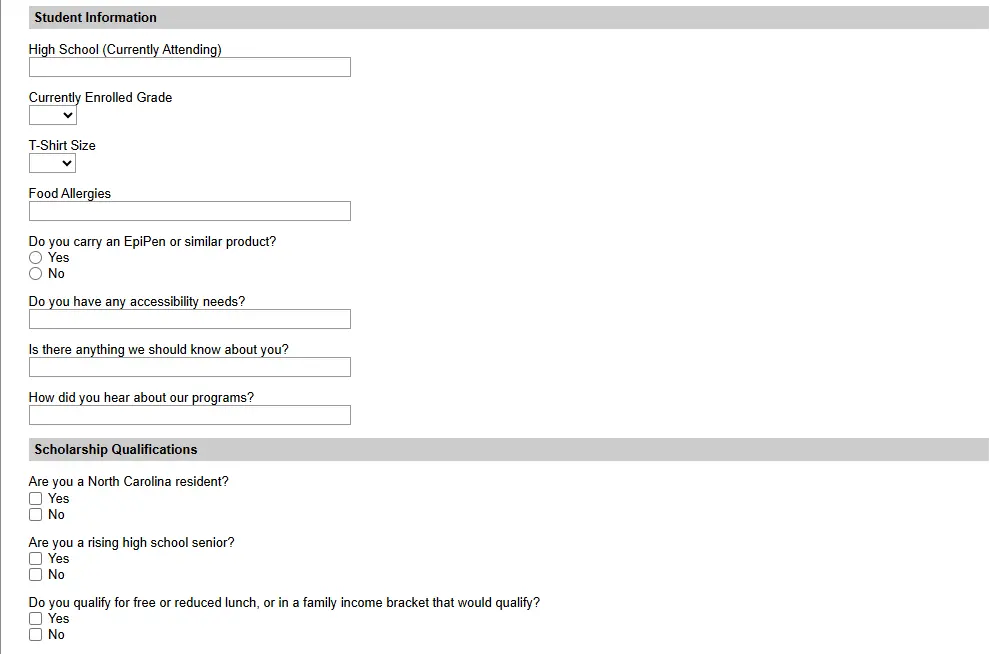
5. Complete the additional information sections.
6. If you believe you qualify for financial aid (please see https://summer.unc.edu/exploreunc/ for details) check the appropriate boxes to apply for a fee waiver.
- If you apply for a fee waiver, you will only be responsible for submitting the non-refundable $75 payment to complete your registration.
- Following your registration, you will receive instructions within three days for providing documentation to verify your eligibility that must be received within two weeks of registering along with instructions for paying any additional amounts if you do not qualify for aid or are attending multiple weeks of Explore@UNC.
- Financial aid is available for a maximum of one week of Explore and will be dispersed while resources last. Participants are responsible for paying the full fee for any additional weeks they attend.
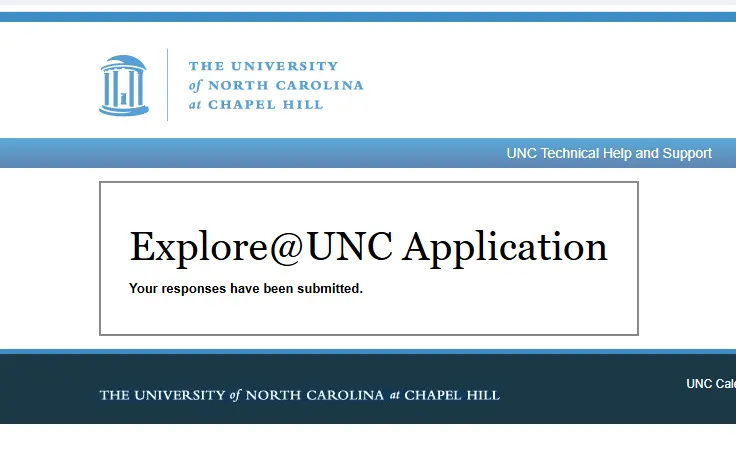
7. Submit your form. Upon submitting your form, you should see the screen below.
8. After submitting your registration, check your email for a confirmation from UNC Chapel Hill. You may need to search your junk folder if you do not receive it directly. The confirmation email will be sent to both the parent and student emails provided during registration. SAVE THIS EMAIL! You will need the links and credentials for making payments in the future.
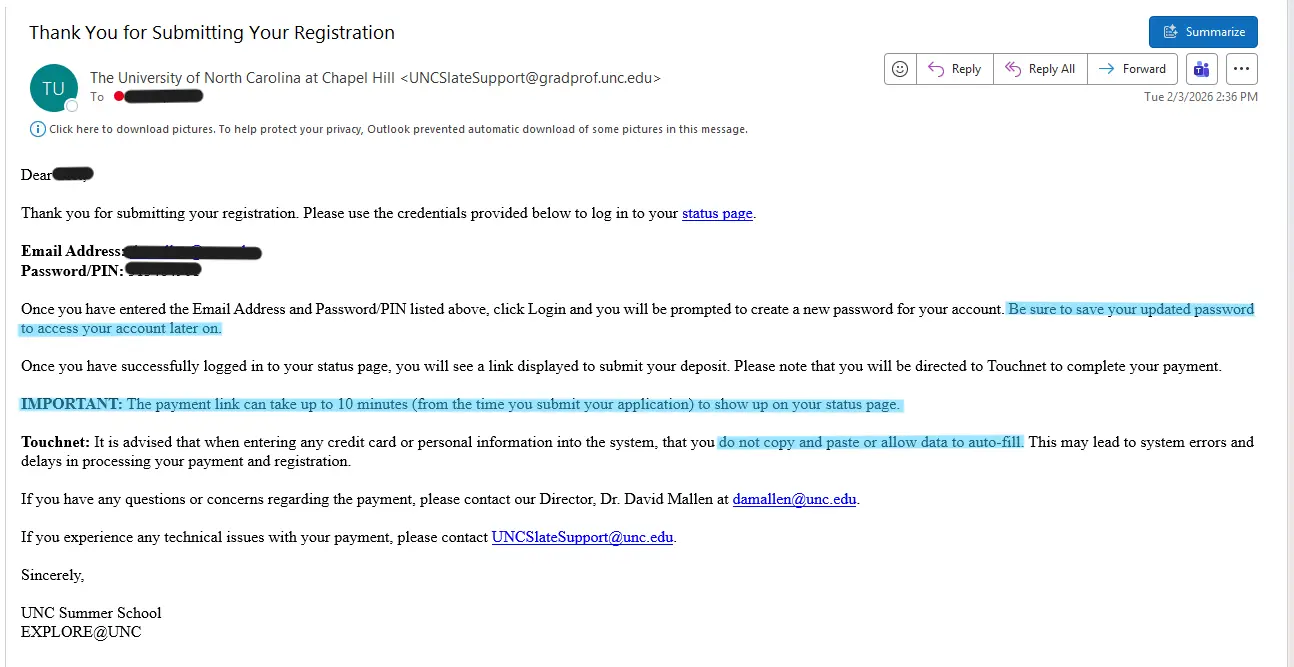
9. Follow the “Status Page” link to access TouchNET to pay your registration fees. All payments must be received the same day of your registration to confirm your seats. If you encounter any issues with the payment portal, email UNCSlateSupport@unc.edu immediately for technical support about accessing your TouchNET portal. If you have questions or concerns about your payment or any programmatic issue, email David Mallen (damallen@unc.edu).
- Note the instructions highlighted in blue on the screenshot above. They are important and provide solutions for the most common problems.
- If you attempt to access TouchNET too soon after registration, the link may not be established yet. Wait 10 minutes to access TouchNET and keep refreshing the page until the link appears.
- If you allow your device to auto-fill your credit card number or address information, TouchNET may not accept the data. Be sure to manually type in all information in their respective fields.
- Be sure not to add ANY spaces to the end of your credit card number. TouchNET will read the space as a character and will prompt an error.
- TouchNET does not accept ApplePay or any similar version of payment.
- If you are not receiving the confirmation email, contact UNCSlateSupport@unc.edu where they may ask you to verify your email address if it was entered incorrectly.
10. Congrats, you’re registered! Within 3 business days, we will send you a confirmation email with program details and additional information for preparing for your time on campus this summer. If you have any questions along the way, you can email explore@unc.edu or David Mallen, Pre-College Programming Director at damallen@unc.edu for assistance.